Setting up screening questions
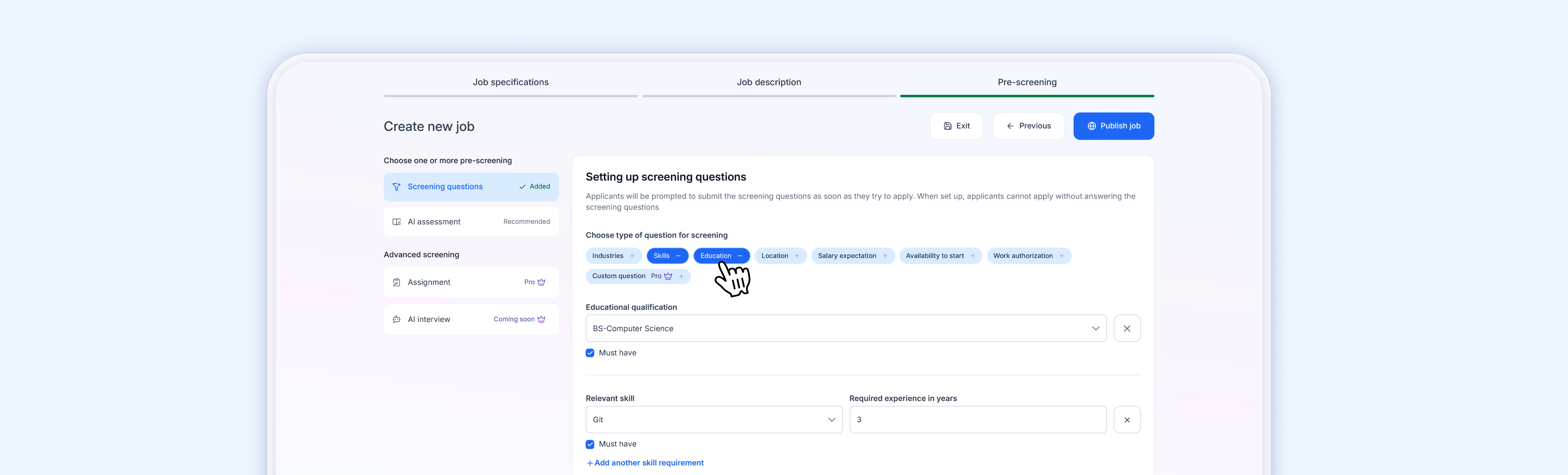 Screening questions are prompted to applicants as soon as they try to apply. When set up, applicants cannot submit their application without answering them.
To add a screening question, click the + button next to any category in Step 3 of the job creation wizard:
| Category | What it asks the applicant |
|---|---|
| Industries | Which industries they've worked in |
| Skills | Whether they have specific skills you need |
| Education | Their educational background |
| Location | Where they are currently based |
| Salary expectation | Their expected monthly compensation |
| Availability to start | When they can begin working |
| Work authorization | Whether they're authorized to work in your location |
| Custom question (Pro) | Write any question you want — choose between Short Answer response type |
You can add multiple categories to create a comprehensive screening form.
Important: Once candidates have started applying to your job, you cannot change the screening questions. Set them up before your first applicant comes in.
Screening question responses appear in the applicant list under the Questions column (e.g., "1/1" means they answered 1 out of 1 question).