Setting up AI assessments
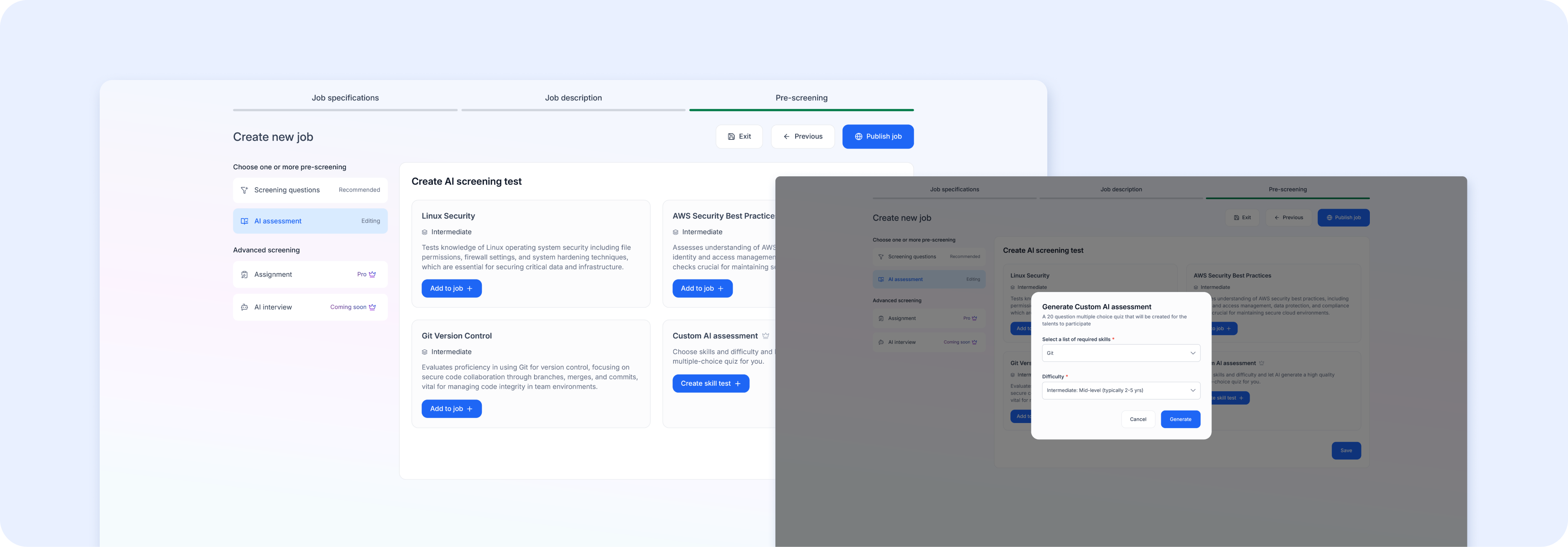 AI Assessments are auto-generated screening tests tailored to your specific role.
- Click AI assessment in the left panel of the Pre-screening step
- If you've completed your job specifications, Airwork will automatically generate a relevant assessment
- If specifications are missing, you'll see a prompt: "Please add all the job specifications to generate AI assessments" — click the link to go back and fill them in
When candidates take the AI assessment, their score appears as a percentage in the applicant list under the Test column (e.g., "95%"), making it easy to compare applicants at a glance.
Tip: AI assessments work best when your job specifications are detailed. The more specific your required skills and experience level, the more relevant the generated test will be.