Billing and plans
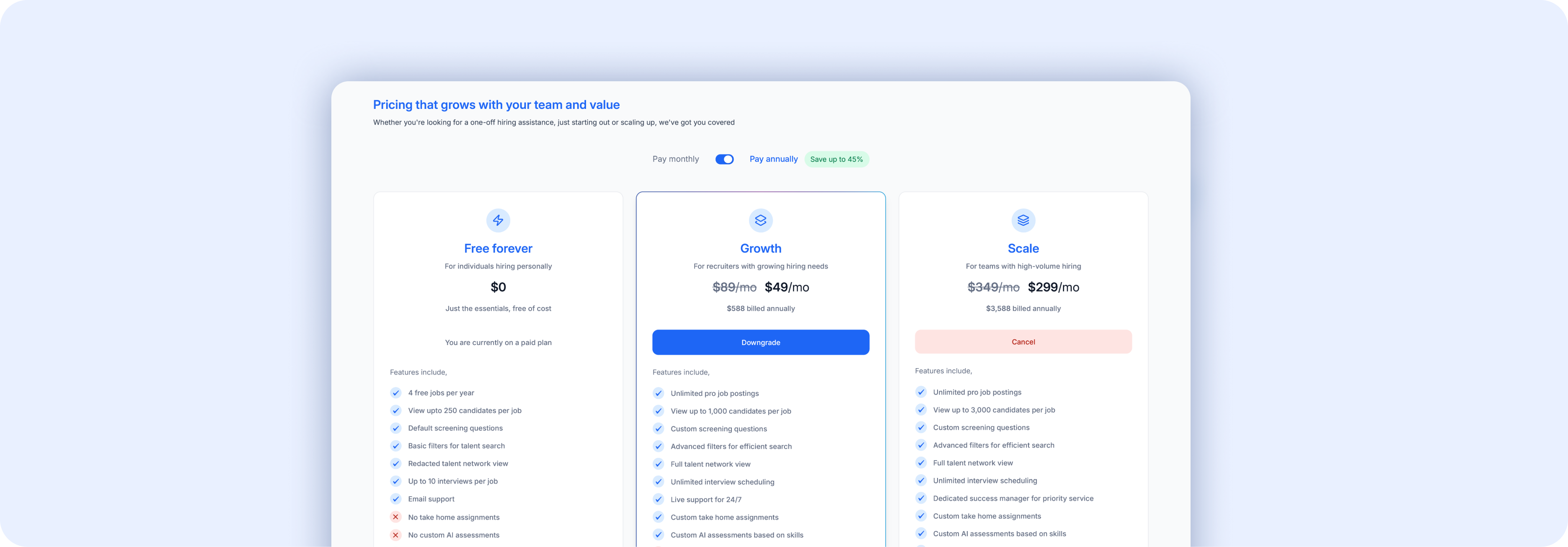 Go to Settings → Plans tab to manage your subscription.
9.1 Understanding Your Plan
The Plans page shows:
| Section | What it shows |
|---|---|
| Current plan | Your active plan name (e.g., "Free forever") with a **Change** option |
| Expiry | When your plan expires |
| Billing cycle | Monthly or Annually, with a **Change** option |
| Paid with card ending with | Your payment card on file |
| Amount paid | Your last payment amount |
| Payment method | Card details or "No payment method added" |
| Remaining credits | For annual plans — unused months are stored as credits. If you cancel, credits remain available until expiry. |
Below the plan details, you'll see a Usage section showing how many of your plan limits you've used (e.g., free jobs published, interviews taken, active team members).
9.2 Upgrading Your Plan
- Click the Upgrade button in the top-right corner of any page, or
- Go to Settings → Plans and click Change next to your current plan
- Review available plans and select the one that fits your needs
- Add a payment method and confirm
9.3 Free vs Pro Features
| Feature | Free | Pro |
|---|---|---|
| Post jobs | Yes (limited per year) | Unlimited |
| Screening questions (standard categories) | Yes | Yes |
| Custom screening questions | No | Yes |
| AI assessments | Yes | Yes |
| Talent Network access | Yes | Yes |
| Advanced filters (Magic by Airwork AI, DEI) | No | Yes |
| Assignments | No | Yes |
| AI Interview | — | Coming soon |
| Team members | Limited | More seats |